OfferMarket My Properties plugin
Plugin help
Answers to common questions, with pictures of what you see. New to the plugin? Start with how to use the plugin.
Questions and answers
How do I add the plugin to my browser?
Open the plugin's store page: Chrome Web Store or Microsoft Edge Add-ons. Click the button to add it, then confirm.
To keep the plugin in view, click the puzzle piece at the top right of the browser, and click the pin next to OfferMarket My Properties.
How do I sign in?
Click the plugin's icon, then click Agree and sign in.
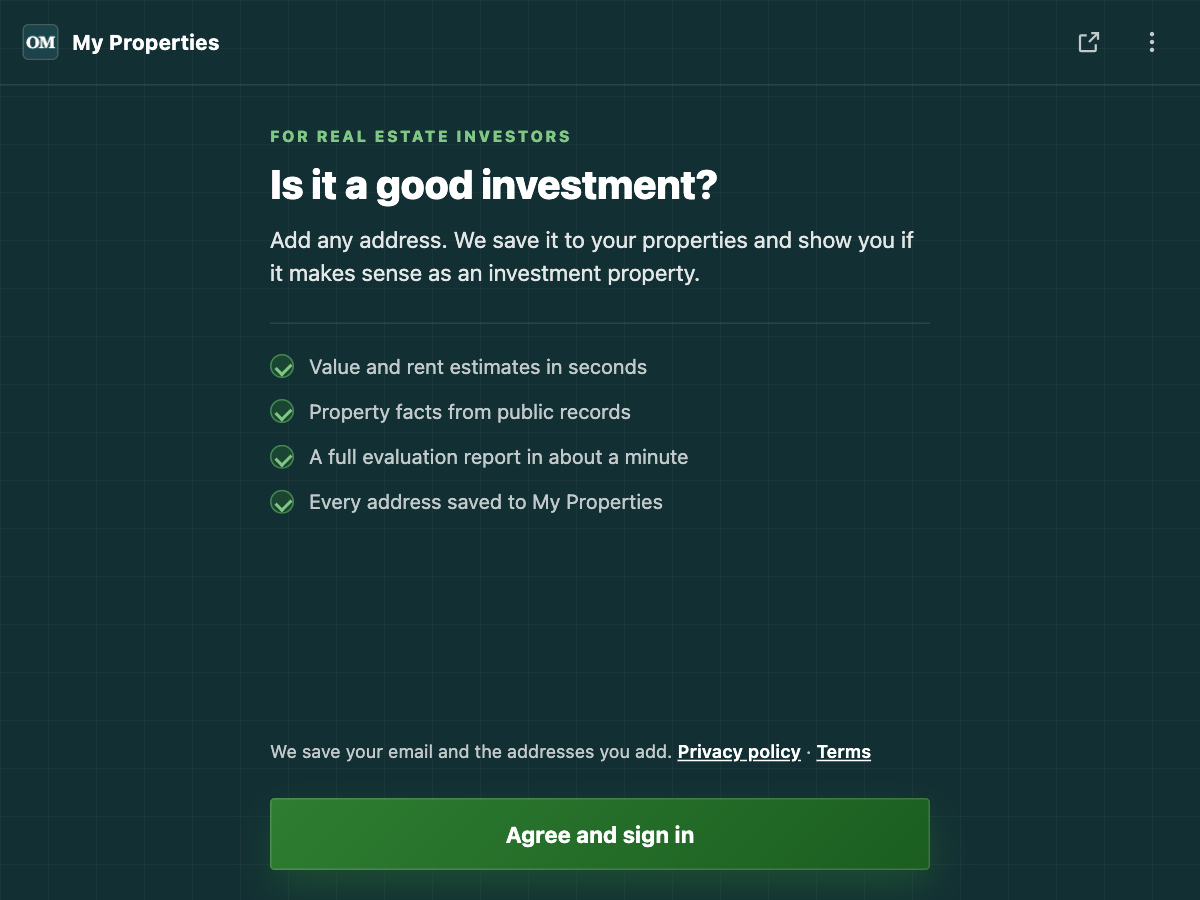
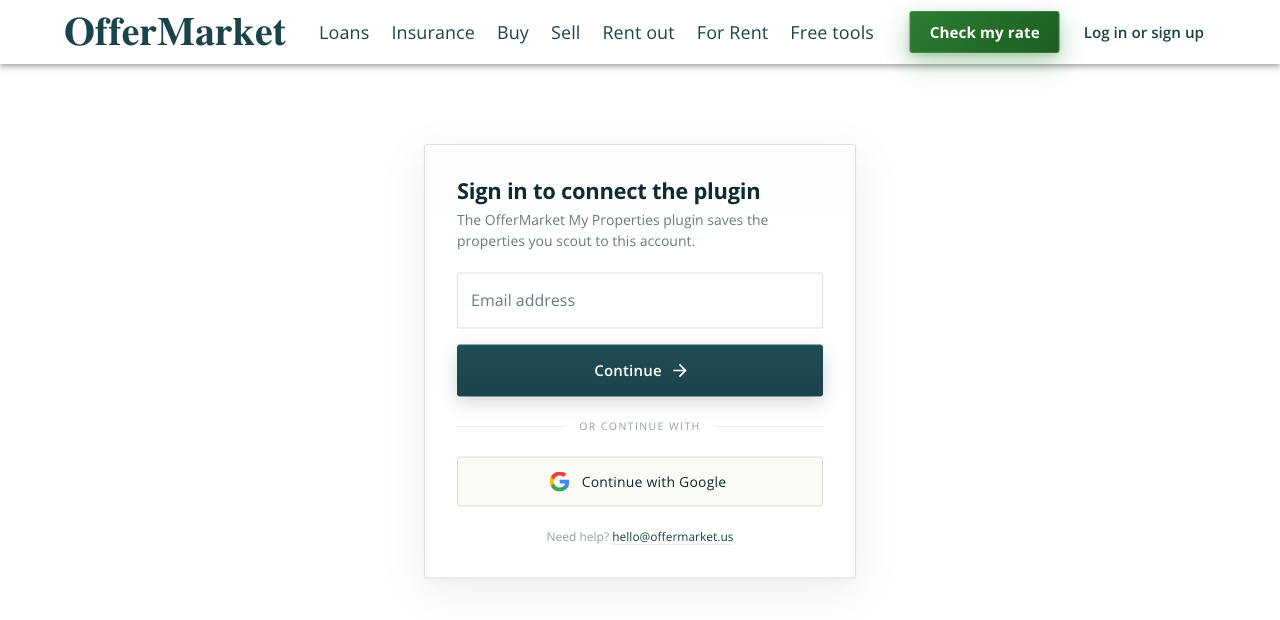
A tab opens on offermarket.us. Sign in with your email, or with Google. If you are new, the same box makes your free account.
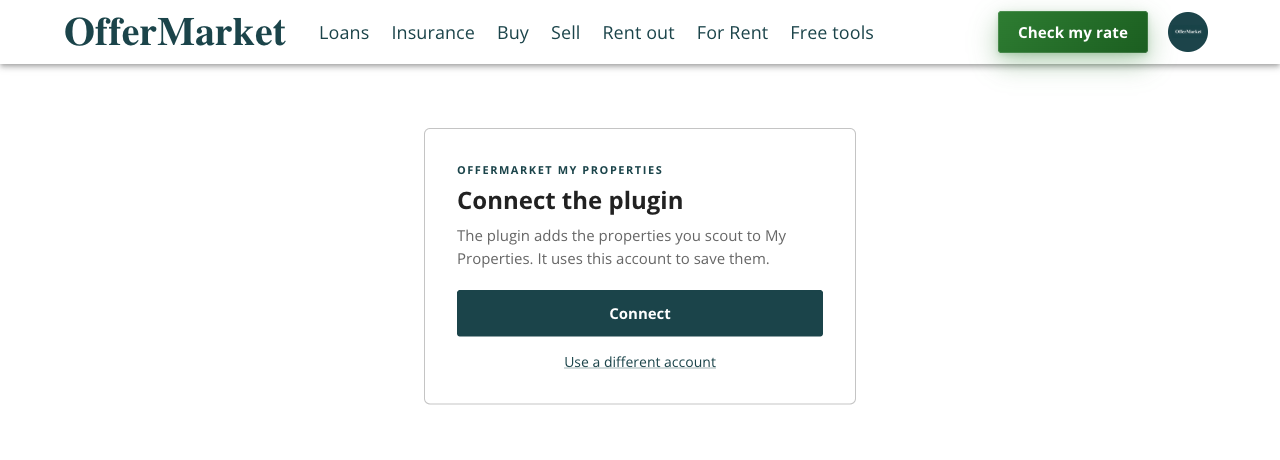
Then click Connect.
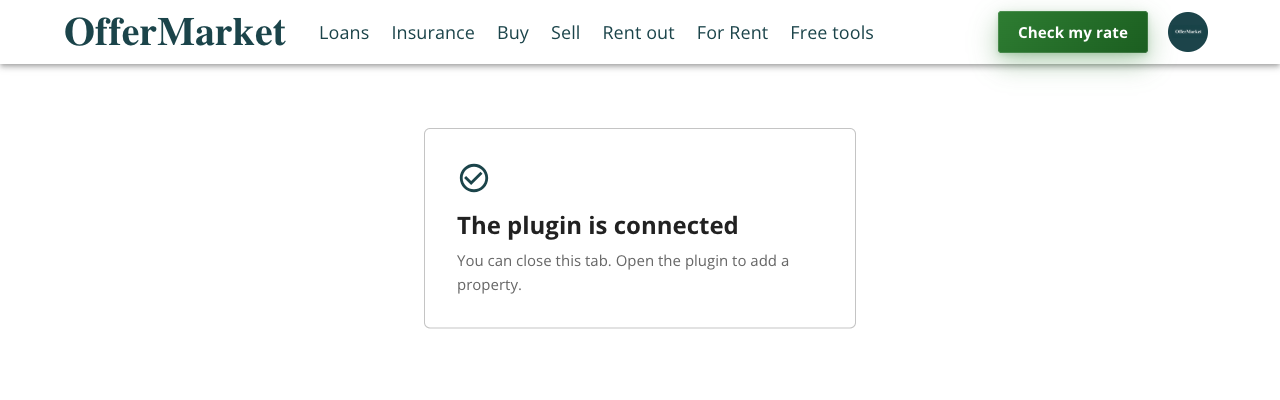
The page says "The plugin is connected". What now?
You are done. Close the tab, then click the plugin's icon again. You see the address box.
The page says "Open this page from the plugin". What do I do?
The page cannot find the plugin in this browser. Add the plugin first, and check that it is turned on. Then click Agree and sign in inside the plugin. Do not open the sign-in page from a bookmark or from a different browser.
The page says "This link did not come from our plugin". What do I do?
The link was not opened by the plugin from the store. Add the plugin from the Chrome Web Store or Microsoft Edge Add-ons, then click Agree and sign in inside the plugin.
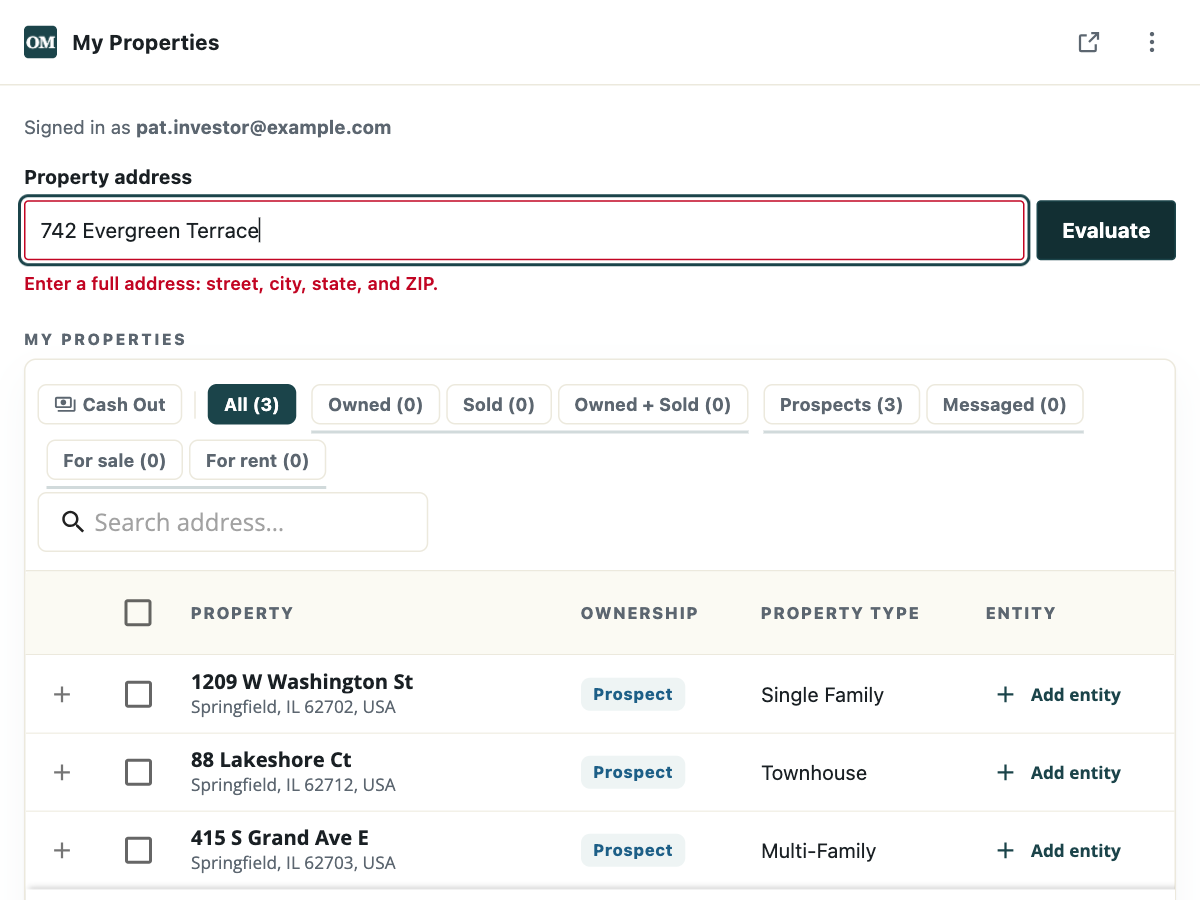
Why does the plugin say "Enter a full address"?
The plugin needs the street number, the street, the city, the state, and the ZIP. Pick the address from the list that shows while you type, or paste the full address.
Where do the value and rent estimates come from?
From county records and recent listings near the address. Each estimate shows a range. They are estimates, not an appraisal.
How long does the full evaluation take?
About a minute. The estimates show first, and the plugin says Preparing the evaluation while it works.
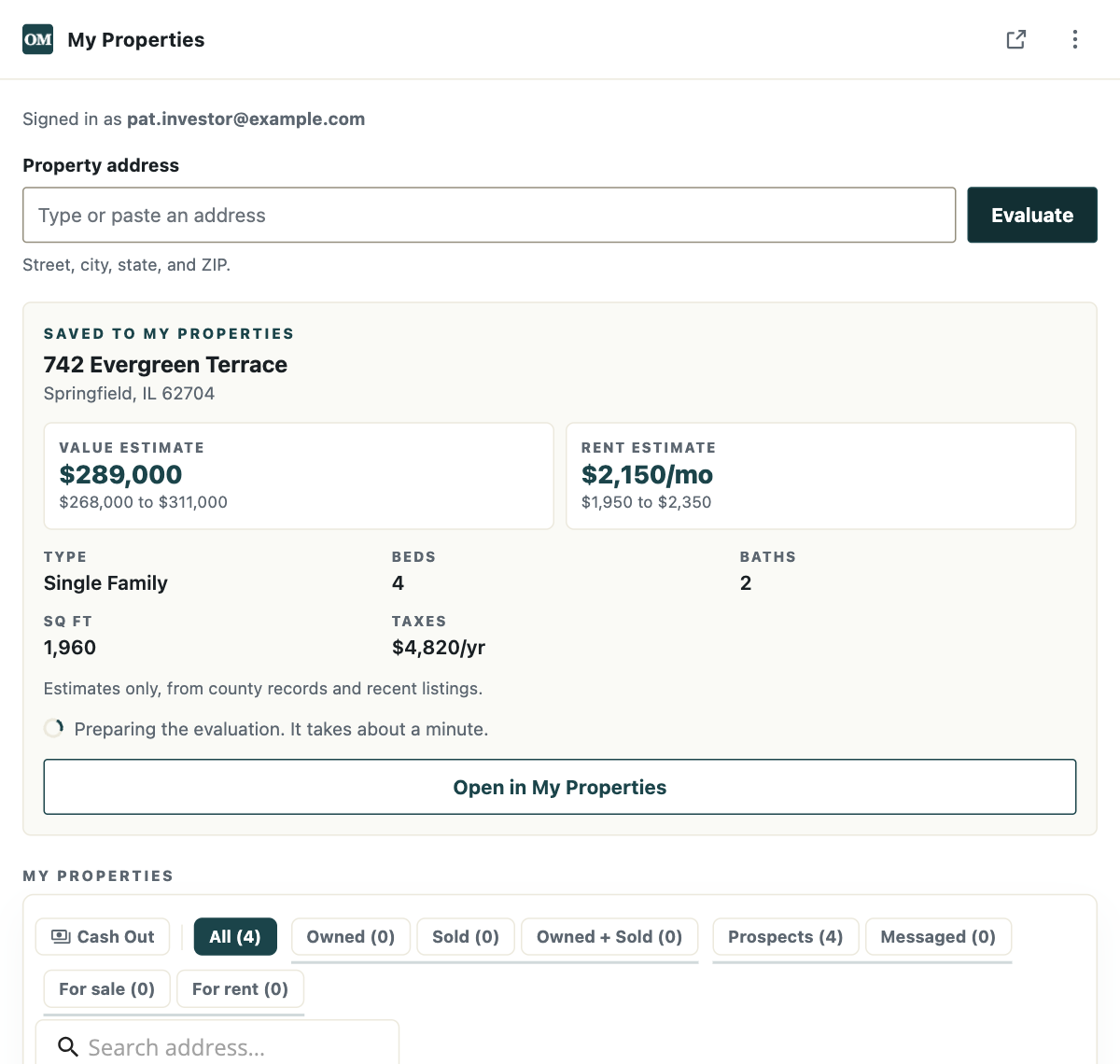
You can close the plugin. The evaluation keeps going, and it shows on the property's page in My Properties when it is ready. When it is ready, the plugin shows a View evaluation button.
What is in the full evaluation?
The evaluation opens on the property's page on offermarket.us. It shows how the value was worked out from recent sales nearby, with a confidence score, and nearby listings for sale and for rent.
Why does it say "today's limit was reached"?
There is a daily limit on new lookups. The address is still saved to My Properties. Add the same address again tomorrow to get its estimates.
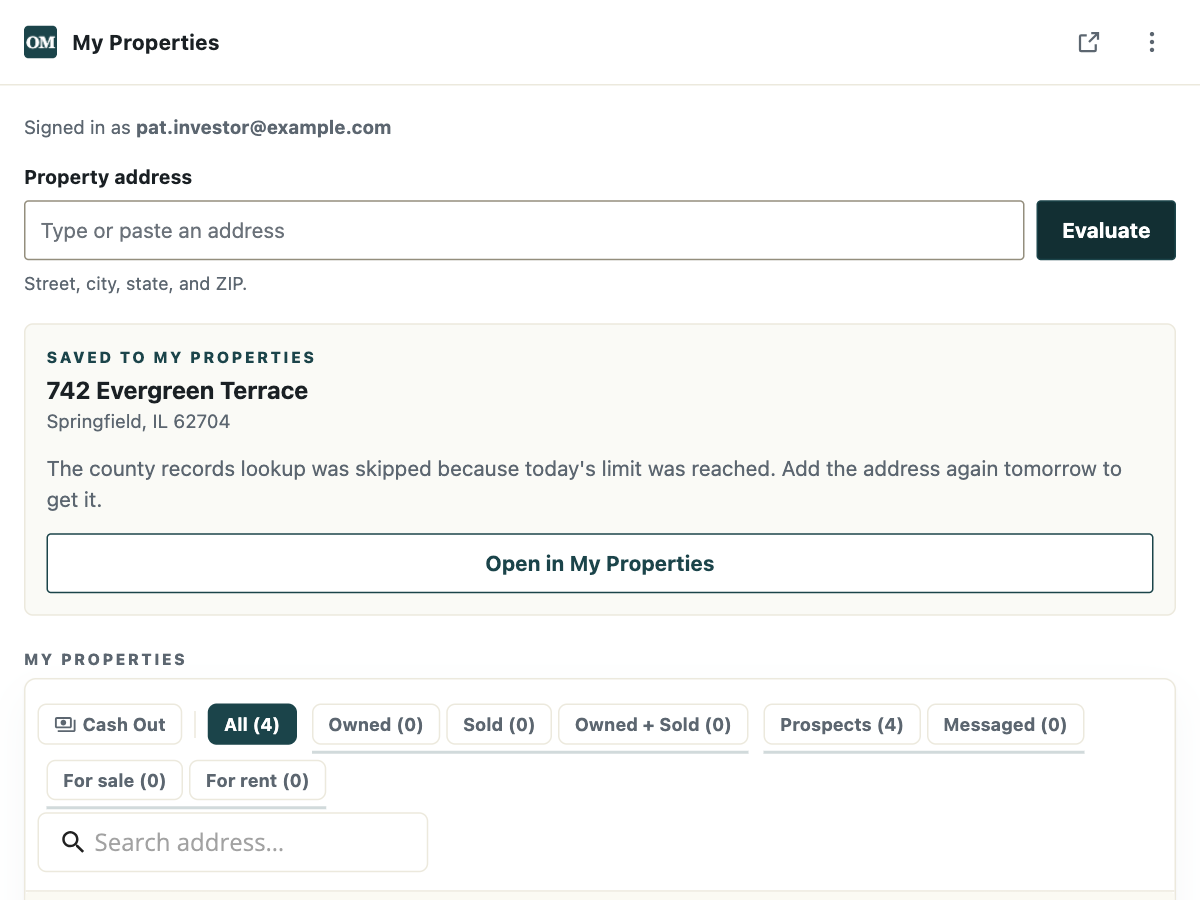
An address that was looked up before opens again with no new lookup.
Why does it say "No county records or listings were found"?
There are no county records or recent listings for that address yet. This can happen with new homes, with a unit number in a building, or with a typo. Check the address and add it again. The address stays in My Properties either way.
Is the plugin free?
Yes. The plugin is free, and so is the OfferMarket account it needs.
What does the plugin save?
Your email and the addresses you add. The addresses are saved to My Properties in your OfferMarket account. Read the details in the plugin privacy policy.
Can the plugin see the websites I visit?
No. The plugin cannot read the pages you visit. It sends only the addresses you type or paste into it.
How do I see my properties on offermarket.us?
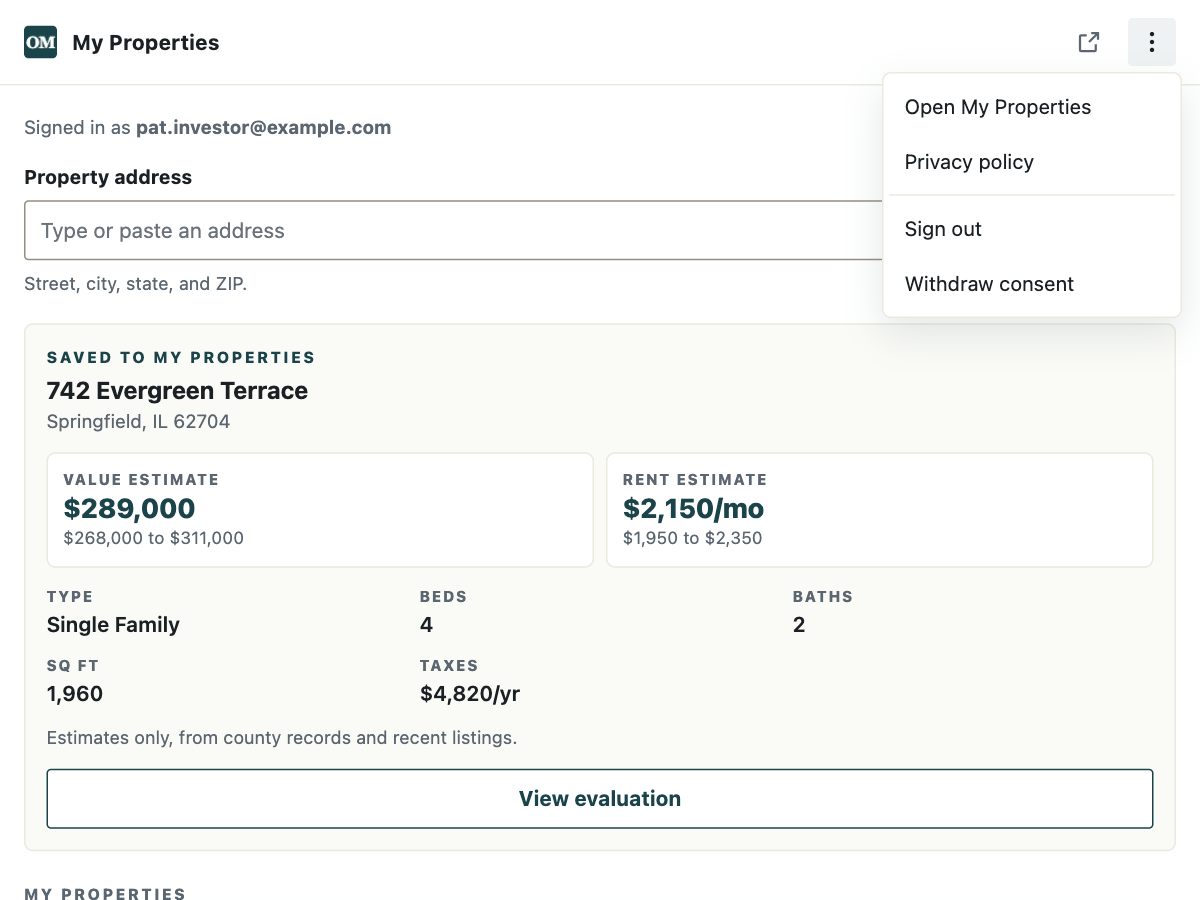
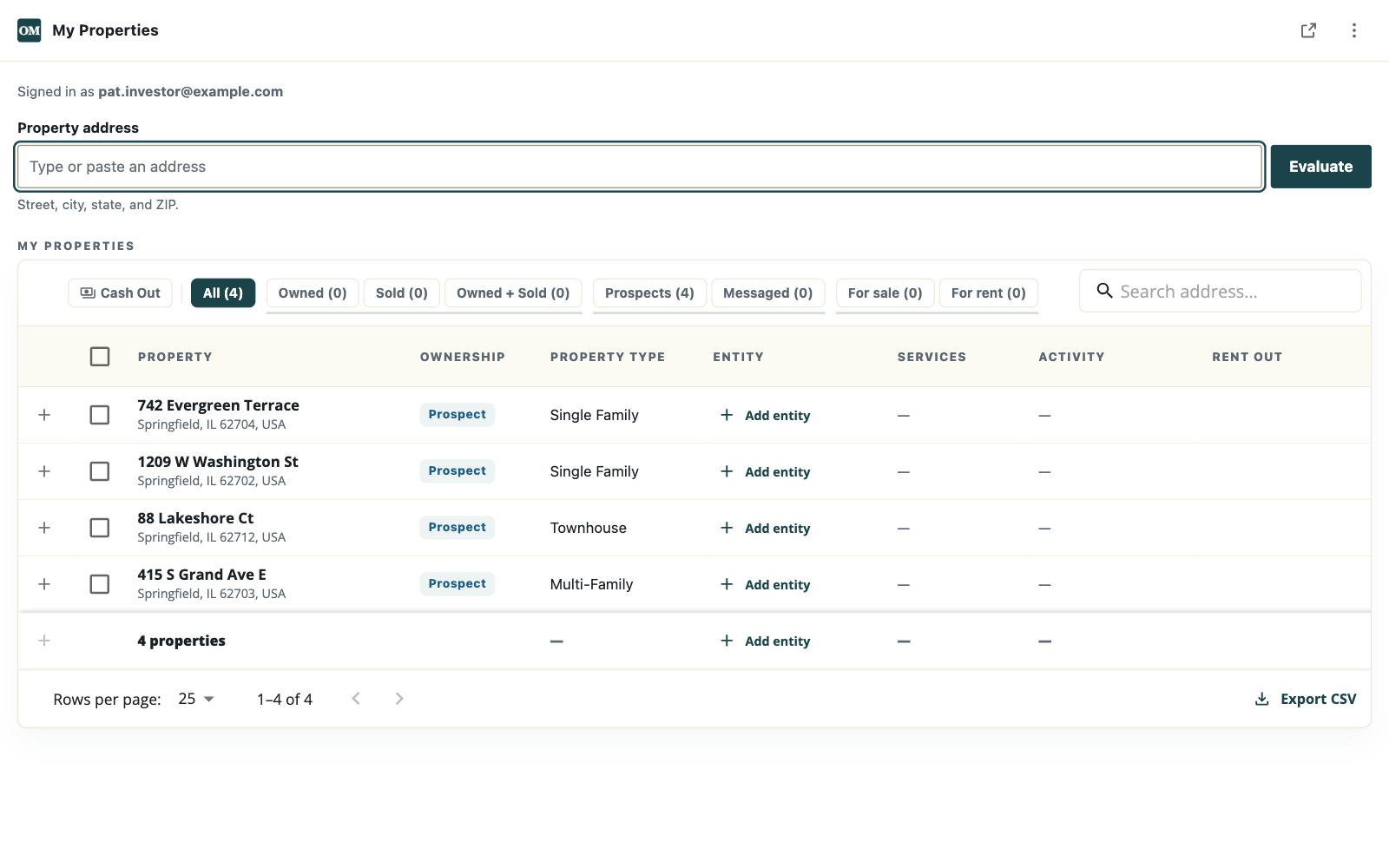
Click the three dots at the top right of the plugin, then Open My Properties. You can also go to My Properties when you are signed in.
How do I see more of the table?
Click the square with an arrow at the top right of the plugin. The plugin opens in its own tab, as wide as your window.
How do I change or remove a property?
Click the property in the table to open its page on offermarket.us, where you can change its details. To remove it, click the trash can in its row, then Delete. A property with a loan, insurance, or a listing on it cannot be deleted.
How do I sign out?
Click the three dots at the top right of the plugin, then Sign out. The properties you saved stay in My Properties.
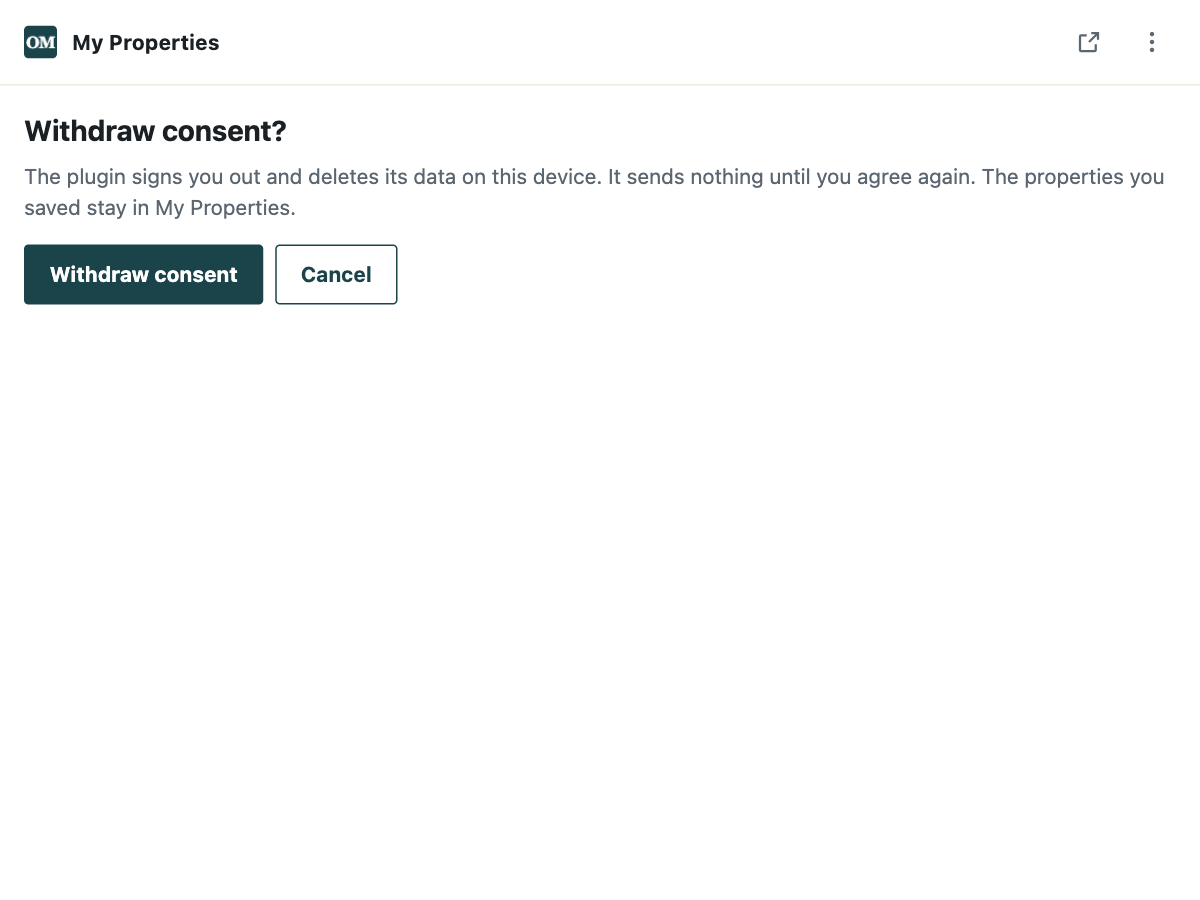
What does "Withdraw consent" do?
The plugin signs you out and deletes its data on your computer. It sends nothing until you click Agree and sign in again. The properties you saved stay in My Properties.
Which browsers does the plugin work in?
Google Chrome and Microsoft Edge, on a computer. It is not made for phones or tablets, and it is not in the Safari or Firefox stores.
Still need help?
Email hello@offermarket.us. Tell us what you clicked and what the plugin said.